
The Negative Impacts of Automation: What Businesses Overlook Before They Automate
Automation cuts cost and speeds up operations — but it also introduces real risks: workforce disruption, brittle systems, algorithmic bias, and a wider attack surface. Here's what to weigh before you automate, and how to design around each risk.
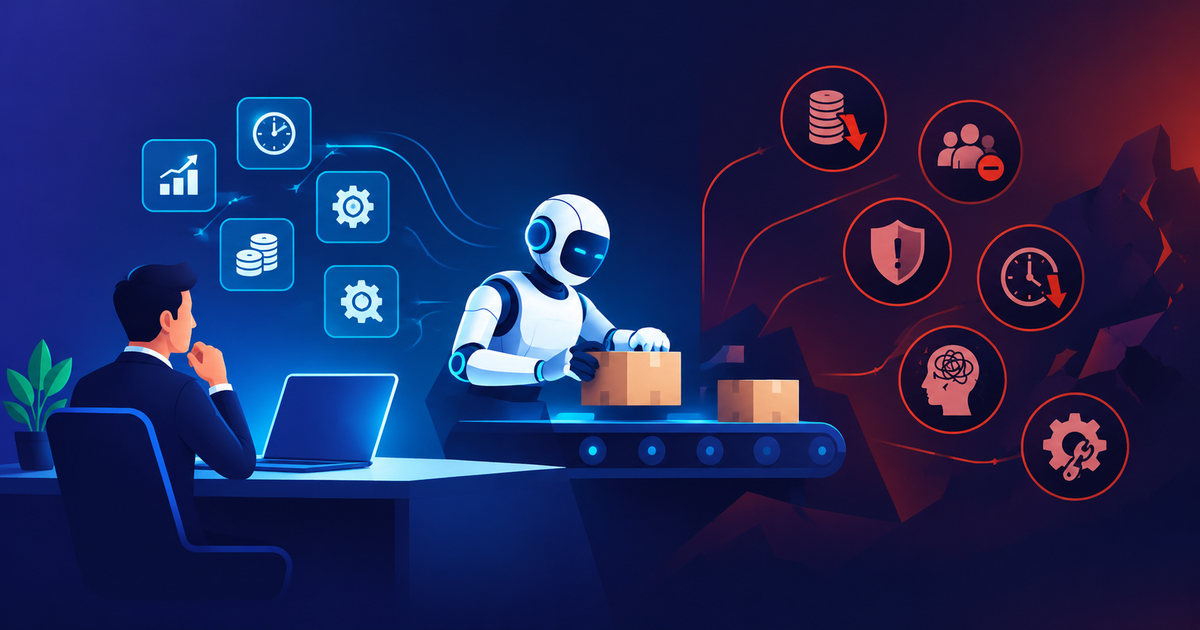
Automation is usually pitched as a straightforward win: fewer manual steps, lower headcount cost, faster turnaround, fewer human errors. Most of the time, that pitch is broadly true — which is exactly why it's easy to skip past the second half of the conversation. Every automation project also introduces a new set of risks that don't show up in the pilot, the demo, or the first few weeks of production use, and only become visible once the system has been running long enough, and at enough scale, for its failure modes to surface.
This isn't an argument against automation. It's a look at the negative impacts that show up often enough, across enough real projects, that they're worth designing around deliberately rather than discovering after the fact — workforce disruption, over-automation of judgment calls that still need a human, algorithmic bias and error at scale, a wider security attack surface, brittle integrations that quietly accumulate technical debt, and a depersonalized customer experience that erodes trust faster than it saves time. Each section below covers what the impact actually looks like in practice, why it's easy to miss during planning, and what a more deliberate approach looks like instead.
Workforce Displacement and the Skills That Don't Transfer Cleanly
The impact: Automating a process that previously required a person doing manual, repetitive work does, in fact, reduce the need for that specific role. This is the most widely discussed negative impact of automation, and it's real — but the conversation usually stops at "some jobs go away," which understates what actually happens on the ground.
What happens in practice: The roles that get automated first are rarely eliminated cleanly. More often, a team is reduced in size while the remaining people are expected to absorb oversight of the automated system on top of their existing responsibilities — monitoring exception queues, handling edge cases the automation can't resolve, and fielding escalations when the system gets something wrong. Without deliberate redesign of those roles, this produces a workforce that's smaller but not meaningfully less busy, doing a different (and often less satisfying) kind of work than before, with less institutional cover when something goes wrong because there are fewer people who remember how the process worked manually.
There's also a skills mismatch that's easy to underestimate: the employees best positioned to catch when an automated system is behaving incorrectly are often the same people whose manual-process expertise made them redundant in the first place. If they've already left, the organization loses its best source of judgment about whether the automation's output is actually correct — precisely at the moment that judgment matters most.
Why it's easy to miss during planning: Automation business cases are typically built around headcount reduction as the primary return, which makes it organizationally awkward to also budget for retraining, redeployment, or maintaining a smaller-but-informed oversight team. The near-term savings are easy to model; the medium-term cost of losing institutional knowledge is not, so it tends not to make it into the plan.
A more deliberate approach: Treat workforce transition as an explicit line item in the automation plan, not an afterthought. Identify which employees have the process knowledge to become effective system owners rather than being displaced by the system, and budget the retraining time before the automation goes live, not after the layoffs. For processes with meaningful judgment calls, plan for a smaller oversight team from day one rather than assuming the automation will need zero human involvement once it's "done."
Automating Judgment Calls That Still Need a Human
The impact: Automation is genuinely excellent at high-volume, well-defined, rule-based work. It's considerably worse at the judgment calls that sit adjacent to that work — the exceptions, the ambiguous cases, the situations the rules didn't anticipate. Over-automation happens when a system is designed to handle the judgment calls too, usually because they look similar enough to the rule-based cases that nobody drew a clear line between them during design.
What happens in practice: A loan-approval workflow automates the straightforward approve/deny decisions correctly, but also auto-declines borderline applications that a human underwriter would have approved with additional context. A content-moderation system correctly flags obvious violations at scale, but also removes legitimate content that happens to match surface-level patterns of a violation, with no efficient path for a human to review before the removal takes effect. A customer-support deflection bot resolves routine tickets well, but traps frustrated customers with genuinely unusual problems in a loop that never routes them to a person, because the system was designed to minimize human involvement rather than to recognize when human involvement is the correct outcome.
The common thread: the failure isn't that the automation makes mistakes on the cases it was built for — it's that the boundary of "cases this system should handle" was drawn too wide, and nothing in the design flags when a case has crossed that boundary.
Why it's easy to miss during planning: The judgment-call cases are, by definition, a minority of total volume, so they're underrepresented in the training data, test scenarios, and pilot period used to validate the system. A system that handles 95% of cases correctly looks like a success in every metric that gets reported, even if the 5% it handles badly are disproportionately the cases where getting it wrong causes the most damage — a declined loan, a wrongly removed post, a customer who churns after a bad support experience.
A more deliberate approach: Explicitly design the boundary between "automate this" and "route this to a human," and build confidence scoring or rule-based triggers that detect when a case falls near or outside that boundary — rather than assuming the system will only ever see the cases it was designed for. Route low-confidence and edge cases to a human by default; treat full automation of a judgment call as something that has to be earned through monitored performance over time, not assumed from the outset.
Algorithmic Bias and Errors, Reproduced at Scale
The impact: A manual process makes errors one decision at a time, made by different people, with inconsistent reasoning — which is inefficient, but also means errors don't compound in a single direction. An automated process that has any systematic bias in its rules, training data, or underlying logic reproduces that same bias identically, at whatever volume the automation runs, until someone notices and fixes it.
What happens in practice: A resume-screening tool trained on historical hiring data learns to reproduce the biases present in who was historically hired, filtering out qualified candidates who don't match that historical pattern — consistently, across every application it processes, rather than inconsistently the way individual human reviewers with their own individual biases would. A pricing algorithm that adjusts rates based on proxy signals correlated with protected characteristics does so uniformly across an entire customer base, turning what might have been an isolated bad judgment call by one employee into a pattern affecting every customer who shares that signal. In both cases, the automation isn't inventing a new problem — it's taking an existing one and applying it with a consistency and scale that a manual process never could.
Why it's easy to miss during planning: Bias in a rule set or a training dataset is invisible in code review and invisible in a functional test, because both are checking whether the system behaves as designed, not whether what it was designed to do has a bias baked into it. It typically requires dedicated statistical analysis of outcomes across different groups to surface — a step that's often skipped because it wasn't scoped as part of the automation project, and because there's no obvious point during a standard QA process where anyone would think to look for it.
A more deliberate approach: Build outcome auditing into any automation that makes decisions affecting people — approvals, denials, pricing, rankings — as a standing process, not a one-time check before launch. This means periodically analyzing outcomes across relevant groups, not just checking that the system runs correctly, and building in a feedback path for flagged decisions to be reviewed and the underlying rules or model corrected. It's meaningfully more work than launching and moving on, and it's the only way to catch a bias problem before it's been running long enough to cause real harm.
A Wider, Less Visible Attack Surface
The impact: Automation typically works by connecting systems that previously had a human in between them — reading an input, applying logic, and writing an output without a person checking each step. Every one of those connections is also a potential point of failure or exploitation, and there are usually more of them, more tightly coupled, than the manual process they replaced.
What happens in practice: An automated invoice-processing pipeline that reads incoming emails, extracts data, and initiates payments removes the human review step that used to catch an obviously fraudulent invoice on sight — and if the extraction logic isn't specifically hardened against manipulated inputs, it can be tricked into approving a payment a human reviewer would have immediately flagged. A workflow automation platform with broad API credentials to multiple internal systems becomes a single point of compromise: an attacker who gains access to the automation layer inherits the combined access of every system it touches, which is often broader than any individual employee's access would have been. Robotic process automation (RPA) bots that log into internal systems with a shared service account, running unattended and outside normal user-activity monitoring, can go a long time before anomalous behavior is noticed, because nobody is watching a bot's login pattern the way they'd notice a human employee's account behaving strangely.
Why it's easy to miss during planning: Automation projects are usually scoped and owned by operations or process teams focused on throughput and cost, not security teams focused on attack surface — so credentials get provisioned broadly ("just give the bot access to everything it might need") for the sake of getting the pilot working, and that access rarely gets revisited or scoped down once the automation is in production and the original urgency has passed.
A more deliberate approach: Apply the same least-privilege principle to automated systems that a mature organization already applies to human accounts — scope credentials to exactly what the specific workflow needs, not broad standing access "to be safe." Log and monitor automated-system activity with the same rigor as privileged human accounts, since a bot with broad access behaving anomalously is exactly the kind of incident that's easy to miss if nobody's watching for it. And build validation and anomaly-detection into any automation that touches money, data exports, or access grants — the review step a human used to provide informally needs an explicit, designed replacement, not just an absence.
Brittle Integrations and Quietly Accumulating Technical Debt
The impact: Automation is often built as a layer connecting existing systems — pulling data from one, transforming it, pushing it into another — rather than as a first-class piece of the underlying architecture. That layer tends to be more fragile than either of the systems it connects, and failures in it are often invisible until something downstream breaks in a way that's hard to trace back to its actual cause.
What happens in practice: An automation script scrapes data from a vendor's web portal because the vendor doesn't offer a stable API, and it works reliably for a year until the vendor redesigns their page layout, silently breaking the automation in a way that isn't discovered until someone notices the downstream numbers look wrong — potentially weeks later, after decisions have already been made on bad data. A workflow tool built by one team to automate a specific handoff between two departments becomes load-bearing infrastructure that neither department's engineering resources are actually responsible for maintaining, so when it breaks, there's genuine ambiguity about who's supposed to fix it. Automations accumulate this way across an organization — individually reasonable, collectively a sprawl of undocumented dependencies that nobody has a full picture of, until one breaks and someone has to spend days just figuring out what it was actually doing.
Why it's easy to miss during planning: Each individual automation looks like a small, contained project when it's built, so it rarely gets the architectural rigor, ownership assignment, and monitoring that a "real" piece of infrastructure would get — even though, once several departments depend on it running correctly every day, that's functionally what it's become.
A more deliberate approach: Treat any automation that other work depends on as production infrastructure from day one — with clear ownership, monitoring and alerting on failure (not just silent failure that's discovered downstream), and documentation that survives past the person who originally built it. Prefer stable, versioned integration points (APIs) over brittle ones (screen-scraping, undocumented file formats) wherever the option exists, and maintain a running inventory of what automations exist, what they depend on, and who owns them — the same discipline applied to any other piece of critical infrastructure.
A Depersonalized Customer Experience That Erodes Trust
The impact: Automating a customer-facing interaction removes variability and cost, but it also removes the flexibility a human has to recognize when the standard process isn't serving a specific customer's actual situation — and customers tend to notice the difference at exactly the moments it matters most.
What happens in practice: A customer with a genuinely unusual but legitimate situation — a billing dispute that doesn't match any of the automated system's predefined categories, a delivery problem caused by an edge case the logic didn't anticipate — gets routed through a rigid automated flow that has no path for their actual problem, and either gets an unhelpful resolution or has to fight through several layers of automation before reaching a person who can actually help. Automated outreach (renewal reminders, win-back offers, satisfaction surveys) sent without regard to a customer's specific recent experience — a renewal reminder sent to someone who just had a bad support interaction, a "how are we doing?" survey sent right after a service failure — reads as tone-deaf in a way that a human sending the same message, with context, would have caught and avoided. Individually, each of these is a minor friction. Accumulated across a customer base, they're a meaningful driver of the perception that a company doesn't actually care about the people using its product, which is a harder problem to fix than any single automated workflow.
Why it's easy to miss during planning: Automation of customer interactions is typically measured on efficiency metrics — average handle time, cost per interaction, deflection rate — that don't capture the cases where the automation actively made a customer's experience worse, because a customer who has a bad automated interaction and gives up rather than escalating doesn't generate a data point that shows up as a failure in those metrics.
A more deliberate approach: Pair efficiency metrics with a genuine measure of when automation fails a customer — escalation rate after automated interaction, sentiment on the eventual human interaction if there is one, churn correlated with automated-only journeys — rather than relying solely on metrics that automation is inherently good at improving. Build an easy, low-friction path out of any automated flow to a human, and treat customers using that path as a signal to examine, not a cost to minimize. And be deliberate about which interactions should stay human-led regardless of automation's technical feasibility — not every efficiency gain is worth the trust cost of pursuing it.
What This Means for Your Automation Roadmap
The six impacts above share a pattern worth naming directly: none of them show up in a demo, a pilot with a small and cooperative test group, or the first weeks of production use. They surface once a system has been running long enough, and at enough real-world scale and variety, that its edge cases, its bias, its brittle dependencies, and its effect on the people it touches — employees and customers both — have had time to accumulate into something visible. That's exactly why "it worked fine in testing" is a weak signal for whether an automation project is actually ready, and why the design work described in each section above — drawing an explicit boundary around what should be automated, building in oversight and outcome auditing, scoping access tightly, and measuring the failure modes as deliberately as the efficiency gains — has to happen before launch, not after an incident forces the issue.
None of this is an argument for avoiding automation. It's an argument for treating the risks as seriously as the returns when scoping a project, because every one of the impacts above is avoidable with deliberate design, and every one of them is considerably more expensive to fix after it's caused real damage than to design around from the start.
How We Approach This at Cyberbeak
We build workflow and process automation as part of the software we deliver for clients, and every engagement includes an explicit design conversation about where the automation boundary should sit — what gets automated, what gets flagged for human review, and how the system is monitored once it's live — rather than treating "automate everything the pilot handled correctly" as the default. For clients automating processes that touch money, access, or customer-facing decisions specifically, that conversation includes the security and bias-auditing considerations covered above as a standard part of the build, not an optional add-on.
Related reading: Real-Time Bidding Architecture: WebSockets, Latency, and Scaling · Auction Platform Post-Mortems: 5 Technical Decisions That Made or Broke Scale
If you're scoping an automation project and want a second opinion on where the judgment-call boundary should sit, talk to our engineering team. We're happy to start with a design review rather than assuming the answer is "automate all of it."
Talk to our team about your project
We work with businesses across the UK, USA, UAE, KSA, Canada, Australia and Germany to build custom software, SaaS platforms and marketplace systems.